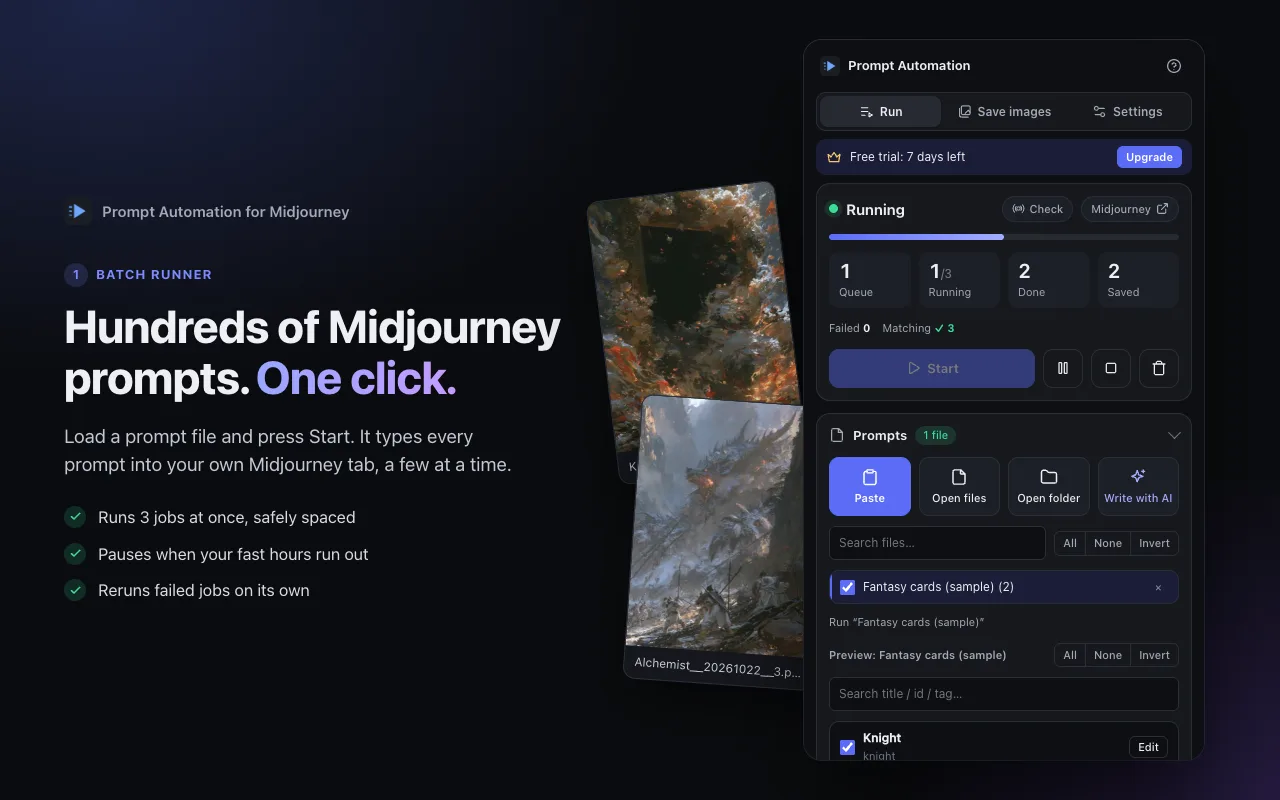
Hundreds of prompts, one click
Load a prompt file and press Start. Three jobs run at once with safe spacing, the queue pauses when your fast hours run out, and failed jobs are rerun on their own.
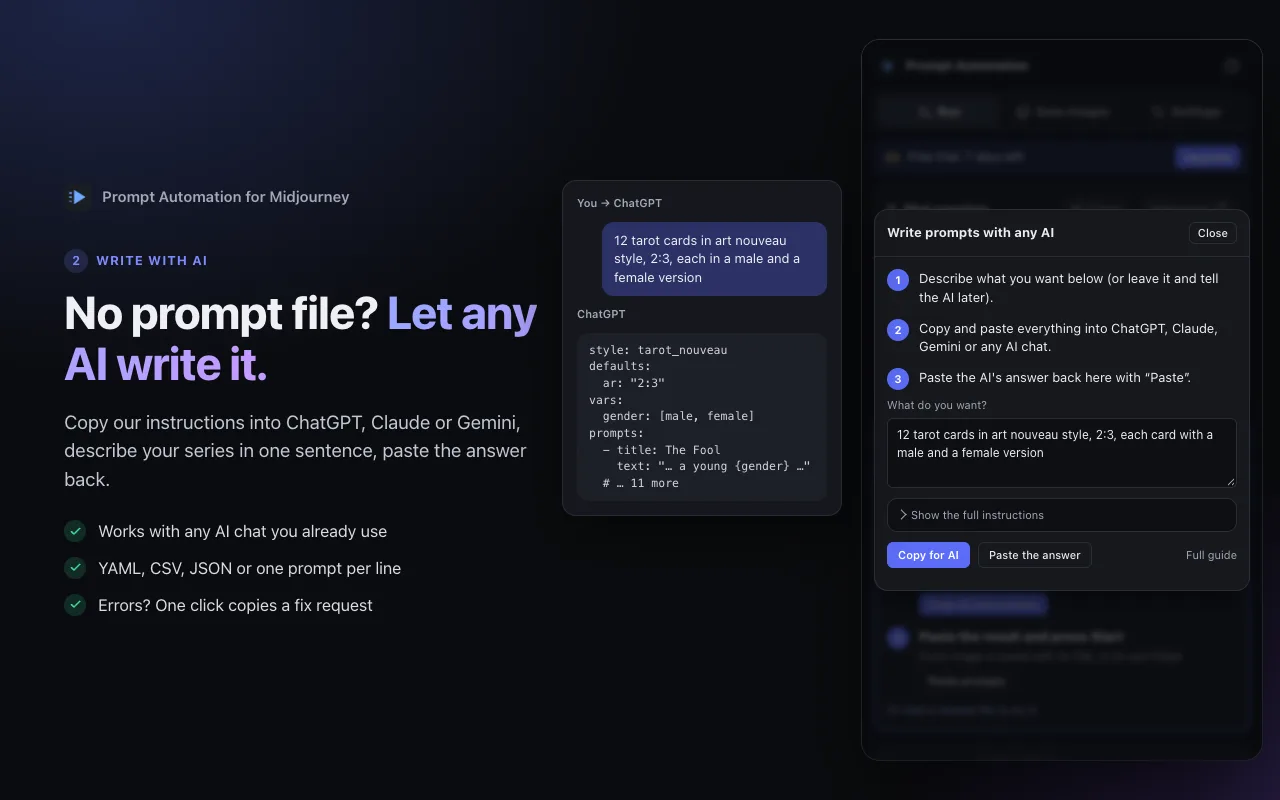
Let any AI write the prompt file
Copy our instructions into ChatGPT, Claude or Gemini, describe your series in one sentence and paste the answer back. YAML, CSV, JSON or one prompt per line all work; errors come with a one-click fix request.
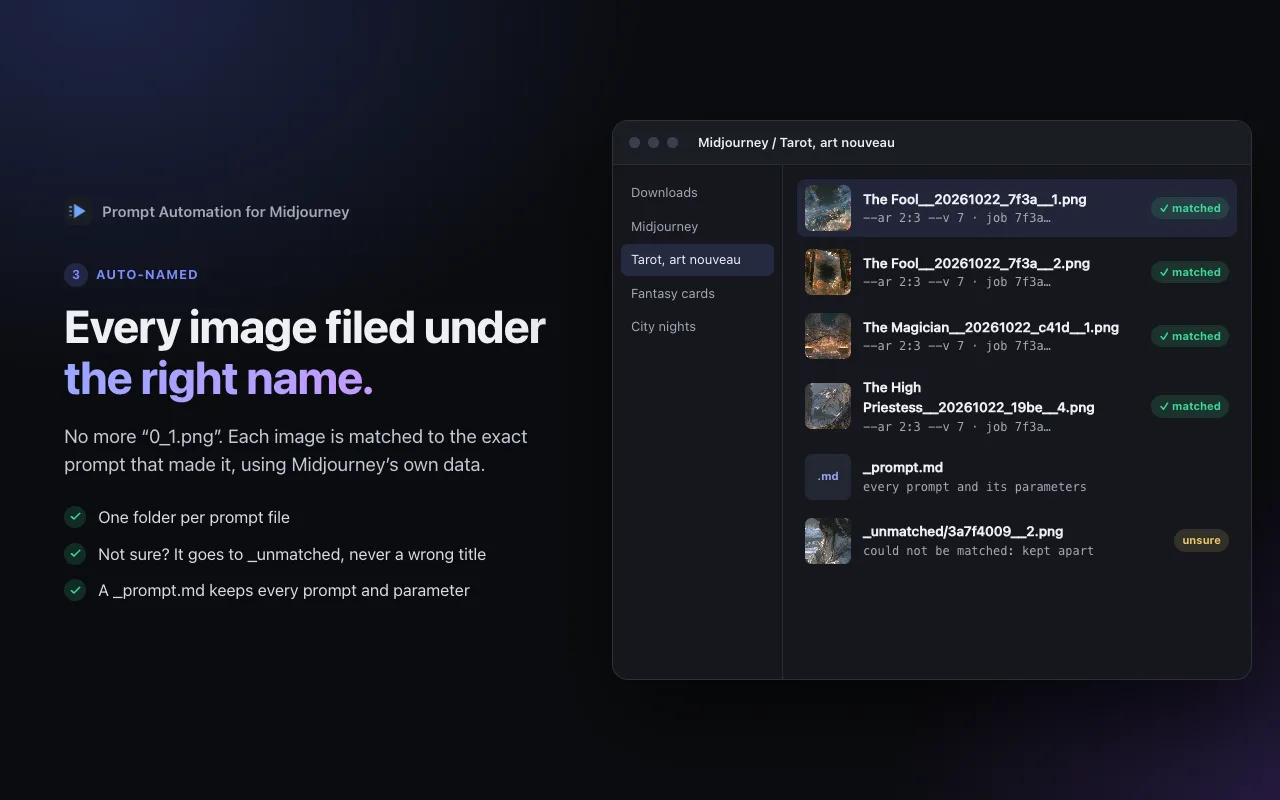
Every image under the right name
No more 0_1.png. Each image is matched to the exact prompt that made it and saved into its own folder. Unsure matches are kept apart in _unmatched rather than mislabelled.
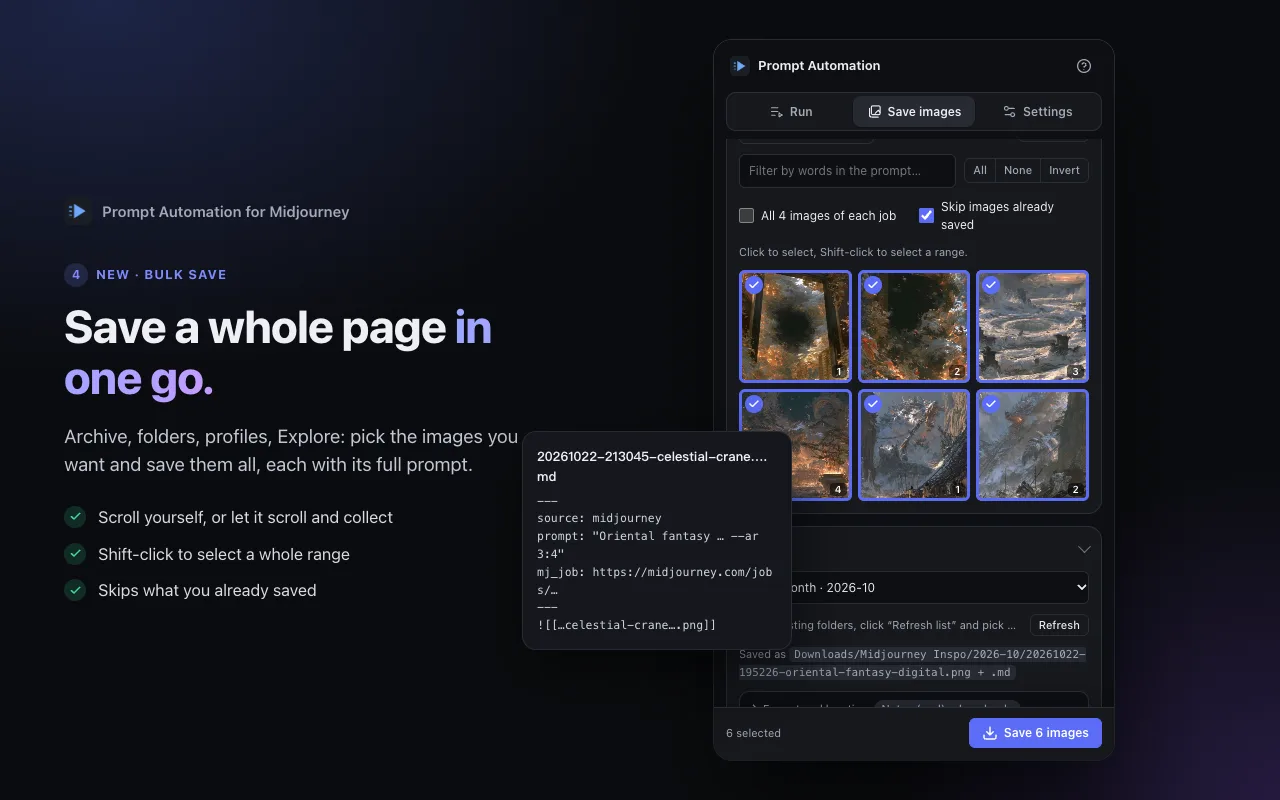
Save a whole page in one go
Archive, folders, profiles, Explore: collect the images on a page, or let the extension scroll for you, Shift-click a range and save them all, each with its full prompt as a Markdown note.
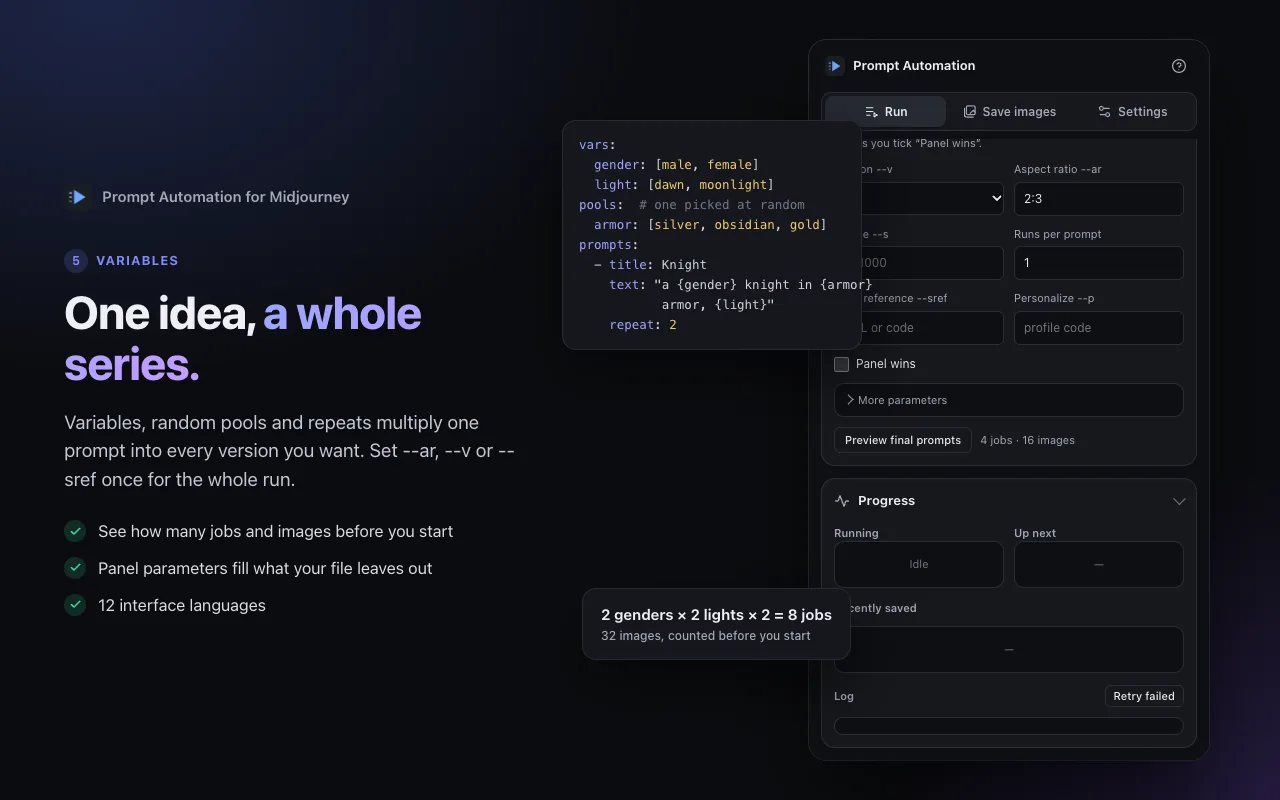
One idea, a whole series
Variables, random pools and repeats turn one prompt into every version you want. Set --ar, --v or --sref once for the whole run, and see how many jobs and images it makes before you start.
About Prompt Automation for Midjourney
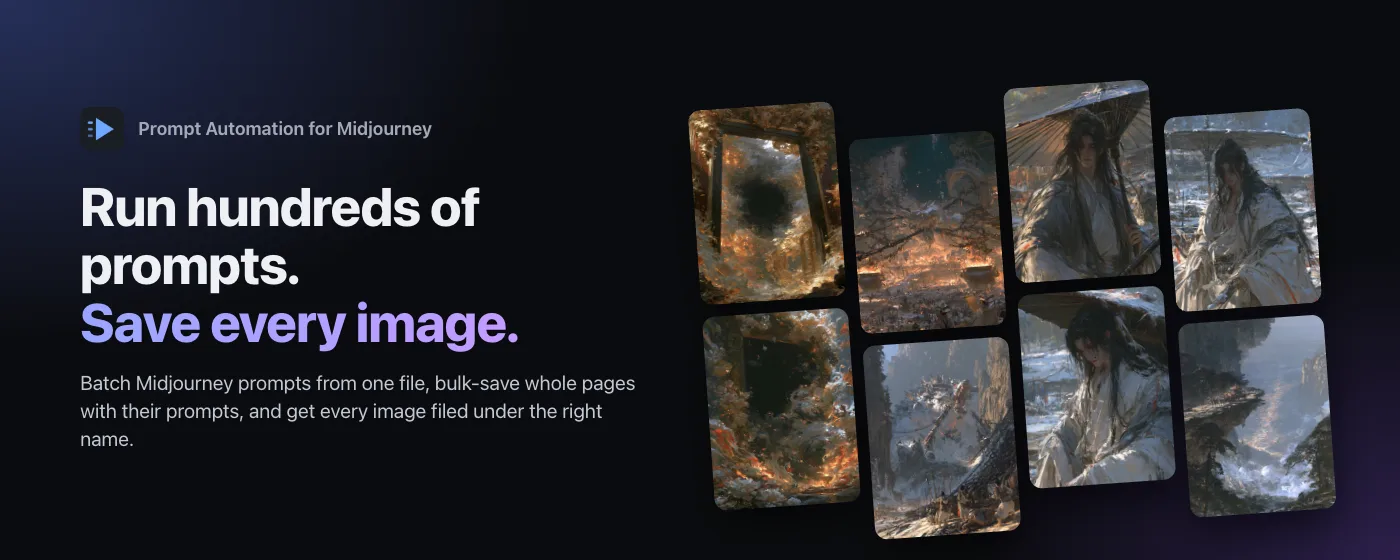
Prompt Automation is a Chrome extension for people who make images with Midjourney in volume. Load a prompt file and press Start: it types each prompt into your own signed-in Midjourney tab, a few at a time, waits for the result and downloads every image under the title of the prompt that made it.
Matching uses Midjourney's own data, not guesswork, so a picture never ends up under someone else's name. When it cannot be sure, the image goes to an _unmatched folder instead. A _prompt.md beside each set keeps the full prompt and parameters.
It is an independent tool and is not affiliated with Midjourney, Inc. It uses your own Midjourney subscription, and your prompt files, settings and images stay on your computer.
Pricing
Every install starts with a 7-day free trial of everything.
Saving the single image you are viewing is free, always. One license key works on up to 5 browsers.
Questions
Do I need a Midjourney subscription?
Yes. The extension works in your own signed-in Midjourney tab and every image uses your own Midjourney hours.
Is this made by Midjourney?
No. Prompt Automation is an independent tool by AKI FUKAKU and is not affiliated with Midjourney, Inc. Automating the website may be against Midjourney's terms; how you use it is your decision.
Where do my prompts and images go?
Nowhere but your computer. Prompt files, settings and images stay in your browser and your folders. Our server only checks your subscription and receives anonymous usage counts (numbers only).
Can I use it on more than one computer?
Yes. After you subscribe you get a license key (it is also on your receipt email). Enter it under Settings → Subscription on up to 5 browsers.
How do I cancel?
In the extension: Settings → Subscription → Manage subscription. You keep Pro until the end of the period you paid for and are not charged again.
What people say
No public reviews yet. If you've tried Prompt Automation for Midjourney, a kind word on the store goes a long way.